PhonePe Forensics in iOS What Your iPhone Stores and How Investigators Read It
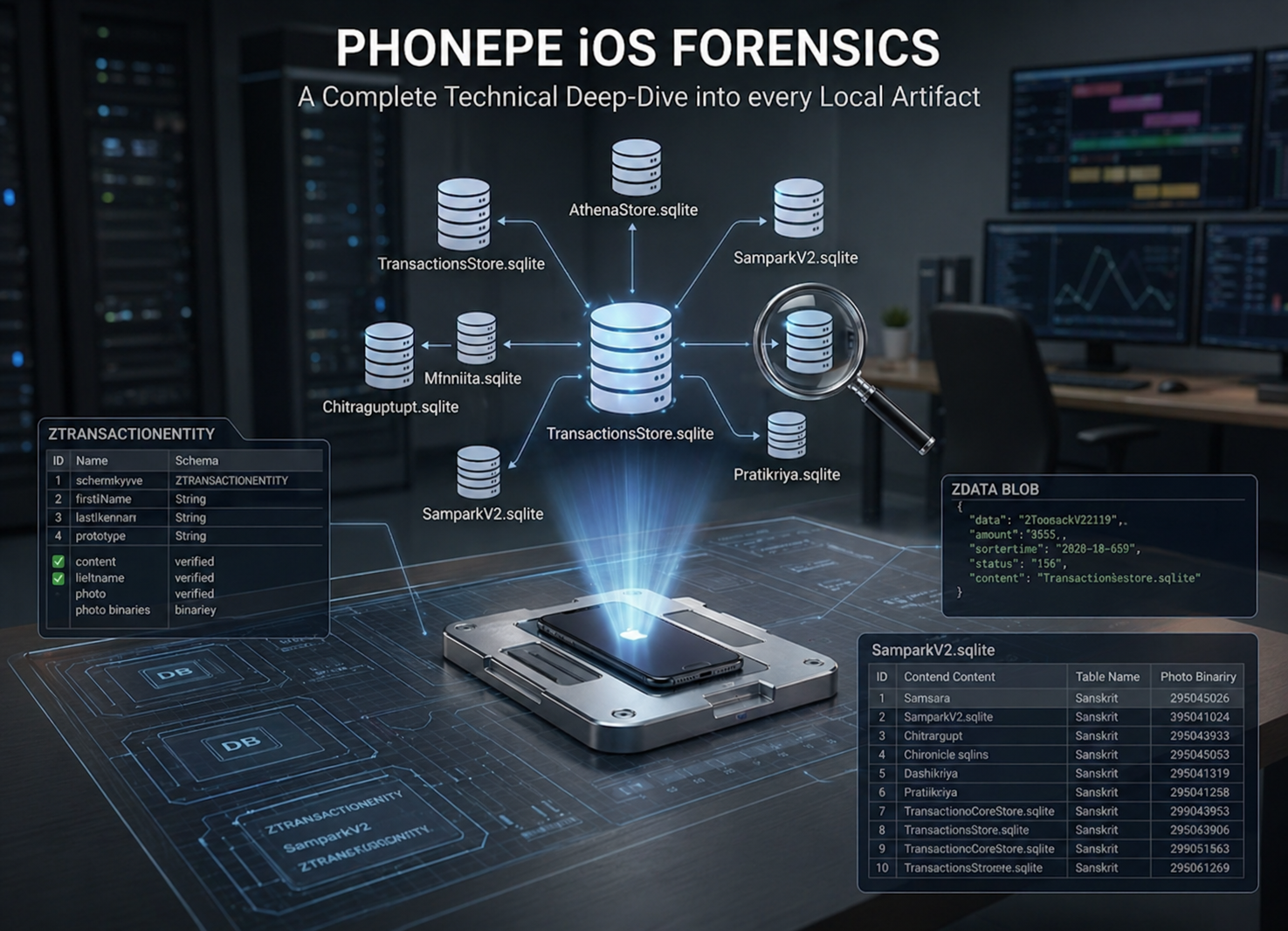
PhonePe Forensics in iOS
Audience: Digital forensic examiners, mobile DFIR practitioners, cybercrime investigators, and legal/compliance professionals working UPI fraud cases.
Scope: Full-spectrum coverage of every PhonePe artifact stored locally on iOS — 50+ SQLite databases, 15+ plist files, binary cookies, WebKit data, and media artifacts. Paths, contents, and forensic queries are based on direct device extraction.
Table of Contents
- Why PhonePe iOS Is a Forensic Goldmine
- The Three Storage Domains
- iOS SQLite Essentials: WAL, CoreData, and the Epoch Problem
- Core Financial Databases
- Identity and Authentication Databases
- SamparkV2: The Social-Financial Graph
- Chat and Communication Databases
- Behavioral Analytics: The Behavioral Mirror
- Server Configuration and A/B Testing
- Financial Services Databases
- Travel, Recharge, and CRM
- Infrastructure and Background Sync
- Specialty Databases: The Sanskrit Names
- Plist Files: Fastest Forensic Wins
- QR Code Artifact
- WebKit and Cookie Forensics
- Timestamp Conversion Reference
- Cross-Database Corroboration Framework
- Forensic Query Arsenal
- Evidence Priority Matrix
1. How does PhonePe differs in Forensics
Unlike server-side forensics (which requires legal process to PhonePe and is often delayed or incomplete), the iOS app container stores:
- Every transaction in a local SQLite ledger — including failed and abandoned payment attempts
- Every contact the user has, with their UPI IDs and cached profile photos
- Sub-second behavioral logs of every tap, screen view, and keyboard entry
- In-app chat messages with bidirectional links to financial transactions
- Push notification payloads that survive even after the underlying transaction record is deleted
- Physical travel data including PNR numbers, passenger identities, and co-traveler names
- ML-inferred financial patterns that persist even after transaction deletion
This document covers every artifact class, its exact iOS path, what it contains, and how to extract and use it in an investigation.
2. The Three Storage Domains
iOS sandboxes PhonePe across three distinct containers. Each has a different trust boundary and sharing scope. Missing any one domain means missing evidence.
| Domain | Root Path | What Lives Here |
|---|---|---|
| AppDomain | AppDomain-com.phonepe.PhonePeApp/ | All core app databases in Documents/, all plist files in Library/Preferences/, binary cookies, WebKit data |
| AppDomainGroup (PhonePe) | AppDomainGroup-group.com.phonepe.PhonePeApp/ | P2P database, Foxtrot analytics queue, Sampark contacts + profile photos, Burble notification store |
| AppDomainGroup (Shared) | AppDomainGroup-group.com.phonepe.shared/ | Cross-process shared preferences accessible by every PhonePe process simultaneously |
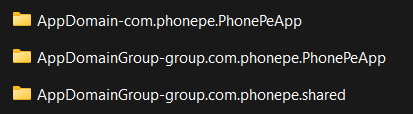
The AppDomainGroup container is architecturally critical — it is shared between the main app, iOS widgets, notification extensions, and share extensions. Data here is often less aggressively pruned than the main AppDomain because multiple processes read it concurrently. This group container independently persists records that may have been cleared from the primary domain.
Acquisition Hierarchy
Extract in this order of preference:
- Full filesystem (jailbroken device / GrayKey / Cellebrite Premium) — all three containers, all WAL files, free pages, temp files
- Advanced Logical / AFC2 (jailbroken) — AppDomain + AppDomainGroup accessible
- iTunes Encrypted Backup — AppDomain manifest-based; requires backup password or escalation
- iTunes Unencrypted Backup — limited; some fields protected by iOS Data Protection
Internal SDK to Artifact Mapping
PhonePe’s iOS app is built from approximately 20 internal SDKs, each generating its own database. This mapping is the fastest way to locate a specific evidence class:
| SDK / Module Name | Primary SQLite Artifact | Forensic Role |
|---|---|---|
| Foxtrot | FoxtrotEventsDB.sqlite, PPAuthFoxtrotEventsDB.sqlite | Behavioral event batching queue |
| Chimera / LiquidUI | ChimeraCoreResponseStore.sqlite | Remote config and feature flag cache |
| Sampark | SamparkV2.sqlite | Contact intelligence + social graph |
| BGFramework | BGFrameworkDataModel.sqlite | Background task scheduling log |
| PubSubCore / Bullhorn | PubSubCoreBullhornDataStore.sqlite | Real-time push notification cache |
| Athena | AthenaStore.sqlite | On-device ML recommendation engine |
| Cassini | Cassini.sqlite + .mlmodel | Document classification (KYC/QR codes) |
| Chitragupt | Chitragupt.sqlite | Full behavioral audit ledger |
| Chronicle | Chronicle.sqlite | App-side timeline and event log |
| Dash | Dash-Events.sqlite | Performance metric batching |
| Gravity | Gravity.sqlite | Feed and discovery ranking store |
| Maximus | MaximusDataModel.sqlite | Promotions and offer engine |
| Samsara | SamsaraDataStore.sqlite | Transaction lifecycle state machine |
| Pratikriya | Pratikriya.sqlite | User feedback and ratings store |
| CRM | CRMDataModel.sqlite | Support ticket and customer communications |
| ExperimentationCore | ExperimentationCoreStore.sqlite | A/B test assignment log |
| KN Analytics | kn_analytics_db.sqlite | Knowledge-network analytics layer |
| NexusCore | NXCoreDataStore.sqlite | Mini-app catalogue and navigation sitemap |
3. iOS SQLite Essentials
The Three-File Rule
Never parse a PhonePe SQLite database in isolation. Every database may have two companion files:
1
2
3
TransactionsStore.sqlite         ← committed, checkpointed data
TransactionsStore.sqlite-wal     ← recent uncommitted changes
TransactionsStore.sqlite-shm     ← shared memory WAL index
SQLite in WAL (Write-Ahead Log) mode writes changes to the -wal file first. They are only merged (checkpointed) into the main file periodically. Between the write and the checkpoint, a record can exist exclusively in the WAL file. More importantly for forensics: deleted records are not immediately removed from the WAL or from SQLite’s freelist pages. Deleted rows remain in free pages until SQLite reuses that storage.
The correct pre-analysis workflow:
1
2
3
cp TransactionsStore.sqlite evidence_working.sqlite
cp TransactionsStore.sqlite-wal evidence_working.sqlite-wal
sqlite3 evidence_working.sqlite "PRAGMA wal_checkpoint(PASSIVE);"
⚠️ Never run
PRAGMA wal_checkpoint(TRUNCATE)on evidence — it destroys the WAL contents and with them any recoverable deleted records.
A quick deletion intensity check before diving in:
1
2
3
PRAGMA freelist_count;   -- How many pages are on the freelist (deleted)
PRAGMA page_count;       -- Total page count
-- freelist_count / page_count > 0.20 = active deletion — flag in report
Why All Tables Start With “Z”
PhonePe uses Apple’s Core Data ORM for most of its databases. Core Data enforces a rigid SQLite convention:
- All entity table names are prefixed with
Z(e.g.,ZTRANSACTIONENTITY,ZUSER) - Every table has
Z_PK(primary key),Z_ENT(entity type discriminator),Z_OPT(optimistic locking counter) - Every Core Data database has
Z_METADATA,Z_PRIMARYKEY, andZ_MODELCACHEhousekeeping tables - The
Z_PRIMARYKEYtable maps each integerZ_ENTvalue to its entity class name — always query this first to understand multi-entity tables
Always start examination of any unknown PhonePe database with:
1
2
SELECT name, type FROM sqlite_master WHERE type IN ('table','index') ORDER BY name;
SELECT Z_ENT, Z_NAME, Z_MAX FROM Z_PRIMARYKEY;
External BLOB Storage
Apple Core Data optionally stores large binary values (profile photos, serialized objects) outside the .sqlite file in a companion directory:
1
2
3
4
5
6
7
SamparkV2.sqlite
└── .SamparkV2_SUPPORT/
    └── _EXTERNAL_DATA/
        ├── 00/
        │   └── <binary_filename>   ← contact profile photo (JPEG/PNG bytes)
        └── 01/
            └── ...
Even after a contact is deleted from the app, their profile photo binary often persists in _EXTERNAL_DATA/ until iOS reclaims storage. The bucket subfolder is derived from Z_PK % 256 formatted as two hex characters.
The CoreData Epoch
Most PhonePe iOS timestamp columns use Apple’s Core Data epoch: January 1, 2001 00:00:00 UTC, which is 978,307,200 seconds after the Unix epoch. This is the most common error in published PhonePe forensic write-ups.
How to identify the epoch in use:
| Timestamp Value Range | Epoch | Example Decode |
|---|---|---|
| ~400,000,000 – 950,000,000 | Core Data (add 978,307,200) | 721,692,800 → Nov 14, 2023 |
| ~1,400,000,000 – 1,800,000,000 | Unix seconds | 1,700,000,000 → Nov 14, 2023 |
| ~1,400,000,000,000+ | Unix milliseconds (divide by 1000 first) | 1,700,000,000,000 → Nov 14, 2023 |
Standard conversion to IST in SQLite:
1
2
3
4
5
-- Core Data timestamp → IST
datetime(ZCREATEDAT + 978307200, 'unixepoch', '+05:30')

-- Unix milliseconds → IST
datetime(created_at / 1000, 'unixepoch', '+05:30')
Always probe 5–10 timestamp values before deciding the epoch. A single miscategorized epoch shifts every date by 31 years.
4. Core Financial Databases
4.1 TransactionsStore.sqlite
Path: AppDomain-com.phonepe.PhonePeApp/Documents/TransactionsStore/Database/TransactionsStore/TransactionsStore.sqlite
This is the master historical transaction ledger — the source of truth for everything shown in the app’s “Transaction History” screen. It aggregates UPI transfers, bill payments, recharges, mutual fund transactions, and cashback into a single unified store.
⚠️ Critical Correction to Published Research: Virtually every published PhonePe forensic reference shows a table called
ZTRANSACTIONwith columns likeZAMOUNT,ZSENDERUPIID,ZRECEIVERUPIID. That table does not exist. The real schema is documented below.
Primary Table: ZTRANSACTIONENTITY — one row per transaction
| Column | What It Contains |
|---|---|
Z_PK | Core Data internal primary key |
Z_ENT | Entity type discriminator |
ZENTITYID | PhonePe’s unique transaction reference (e.g., T2412190843728...) |
ZGLOBALPAYMENTID | UPI Global Payment ID — the NPCI-level reference (UTR equivalent) |
ZSTATEVALUE | SUCCESS / FAILED / PENDING / REVERSED |
ZTYPEVALUE | Transaction type string |
ZCREATEDAT | CoreData epoch timestamp |
ZUPDATEDAT | Last update timestamp (CoreData epoch) |
ZDISMISSED | 1 = user dismissed this from history view |
ZISINTERNALTRANSACTION | 1 = internal/system-generated transaction |
ZISUNSUPPORTEDTYPE | 1 = app cannot render this transaction type |
ZERRORCODE | Error code on failure (NULL on success) |
ZDATA | ⭐ Full transaction payload — JSON or zlib-compressed JSON blob |
ZTAGSDATA | Serialized user tags/labels blob |
ZSEARCHTOKEN | Pre-built search index token |
ZUSER | FK → ZUSER.Z_PK |
The ZDATA blob is where the actual transaction lives. Amount, sender UPI ID, receiver UPI ID, bank reference number, sender/receiver names, remarks — none of these are separate columns. They are all packed into ZDATA. This is a deliberate architectural decision that allows PhonePe to support arbitrary transaction types without schema migrations.
Decoding ZDATA:
1
2
3
4
5
6
7
8
9
10
11
12
13
14
15
16
17
18
19
20
21
22
23
24
25
26
27
28
29
30
31
32
33
34
35
import sqlite3, json, zlib

def extract_transactions(db_path):
    conn = sqlite3.connect(db_path)
    rows = conn.execute("""
        SELECT Z_PK, ZENTITYID, ZGLOBALPAYMENTID, ZSTATEVALUE,
               ZTYPEVALUE, ZCREATEDAT, ZDISMISSED, ZERRORCODE, ZDATA
        FROM ZTRANSACTIONENTITY ORDER BY ZCREATEDAT DESC
    """).fetchall()

    results = []
    for (pk, entity_id, gpid, state, txn_type, ts, dismissed, error, zdata) in rows:
        record = {
            "z_pk": pk, "entity_id": entity_id, "global_payment_id": gpid,
            "state": state, "type": txn_type,
            "created_ist": coredata_to_ist(ts),
            "dismissed": bool(dismissed), "error": error
        }
        if zdata:
            try:
                record["payload"] = json.loads(zdata)
            except:
                try:
                    record["payload"] = json.loads(zlib.decompress(zdata))
                except:
                    record["payload"] = {"raw_hex": zdata.hex()[:200]}
        results.append(record)
    return results

def coredata_to_ist(ts):
    import datetime, pytz
    if ts is None: return None
    unix_ts = ts + 978307200
    dt = datetime.datetime.fromtimestamp(unix_ts, tz=pytz.utc)
    return dt.astimezone(pytz.timezone('Asia/Kolkata')).strftime('%Y-%m-%d %H:%M:%S IST')
Typical decoded ZDATA JSON structure:
1
2
3
4
5
6
7
8
9
10
11
12
13
{
  "transactionId": "T2412190843728190001",
  "globalPaymentId": "GP20241219084372...",
  "amount": { "value": 50000, "currency": "INR", "unitType": "PAISA" },
  "direction": "DEBIT",
  "status": "SUCCESS",
  "timestamp": "2024-12-19T08:43:27+05:30",
  "sender": { "name": "Rahul Kumar", "upiId": "rahul@phonepe", "maskedAccount": "XXXX1234", "bankName": "HDFC Bank" },
  "receiver": { "name": "Priya Sharma", "upiId": "priya@ybl", "maskedAccount": "XXXX5678", "bankName": "Yes Bank" },
  "bankRefNo": "401234567890",
  "remarks": "For rent",
  "categoryIcon": "TRANSFER"
}
⚠️ Amount unit trap:
"unitType": "PAISA"means"value": 50000= ₹500, not ₹50,000. Always check the unit type before reporting an amount.
Supporting Table: ZTRANSACTIONTAGENTITY — approximately 4 tags per transaction, totalling ~4× row count of ZTRANSACTIONENTITY
| Column | What It Contains |
|---|---|
ZTRANSACTION | FK → ZTRANSACTIONENTITY.Z_PK |
ZKEY | Tag key (e.g., merchant_category, payment_source, bank_name, upi_ref) |
ZVALUE | Tag value (e.g., FOOD_DINING, QR_SCAN, HDFC Bank, 401234567890) |
ZTYPEVALUE | Tag type integer |
Tag keys include payment_source (HOW the payment was initiated — QR_SCAN, CONTACT_SEARCH, MANUAL_ENTRY), merchant_category (behavioral profiling), upi_ref (UTR number — corroborates bank records), and receiver_type (MERCHANT vs P2P). The ZTRANSACTIONTAGENTITY table is a secondary metadata layer that survives independently if the main ZTRANSACTIONENTITY row is deleted.
Table: ZVIEWENTITY — mirrors ZTRANSACTIONENTITY, one row per transaction, linked by ZENTITYID
The view entity stores display-optimized data in its own ZDATA blob — often containing pre-formatted display strings like "Paid ₹500.00 to Priya Sharma" in plain text. Forensically useful when the primary ZTRANSACTIONENTITY.ZDATA is corrupted or heavily encoded, as the view layer may retain plain-readable content.
Table: ZUSER — exactly 1 row, the device owner
| Column | What It Contains |
|---|---|
ZUSERID | Plaintext PhonePe user identifier |
ZENCRYPTEDUSERID | Encrypted form used in API calls |
ZDURATIONOFDOWNLOADINDAYS | How far back the transaction history was synced |
ZISTRANSACTIONDOWNLOADCOMPLETE | 1 = full history downloaded |
ZNEXTPAGE | Pagination cursor for remaining server-side transactions |
ZUSERID anchors the entire database to a specific account. ZDURATIONOFDOWNLOADINDAYS is critical for gap analysis — if it is 30, transactions older than 30 days were never downloaded to this device and must be obtained from PhonePe’s servers via legal process.
Table: ZTRANSACTIONSEARCHRECENTS — user’s recent transaction search queries
| Column | What It Contains |
|---|---|
ZSEARCHSTRING | The exact search string the user typed in transaction history search |
ZUPDATEDAT | When this search was last performed (CoreData epoch) |
Search history proves the user actively looked for specific transactions — relevant when they claim not to know about a payment.
Table: ZUNITENTITY — payment instrument identifiers
| Column | What It Contains |
|---|---|
ZUNITID | Unit identifier for the bank account or wallet used |
ZUSER | FK → ZUSER.Z_PK |
4.2 PaymentDataStore.sqlite
Path: AppDomain-com.phonepe.PhonePeApp/Documents/Payment/Database/PaymentDataStore/PaymentDataStore.sqlite
Where TransactionsStore records completed history, PaymentDataStore captures in-flight and session-level payment state — the engine’s working memory during every payment attempt. This database records events that the user never sees as “transactions” because they were abandoned, interrupted, or failed before the UPI pipeline completed.
Core Data schema. Key entities and what they store:
ZPAYMENTINTENTENTITY — created the instant the user initiates a payment flow, before any UPI call is made. Contains the intended amount, target UPI ID, and initiation timestamp. Even if the user cancelled after typing the amount and before confirming, this record exists.
ZPAYMENTGATEWAYRESPONSE — raw JSON blob of the gateway response from the issuing bank. This is the closest the device gets to a bank-level record — it contains NPCI trace IDs, bank error codes, and response timestamps that are not surfaced in the app UI.
ZUPILINKEDACCOUNT — VPA to bank account binding records. Shows which UPI ID maps to which bank account (masked), with linking timestamps.
ZAUTOPAYMANDATE — every recurring UPI AutoPay mandate: merchant VPA, maximum amount, frequency (DAILY/WEEKLY/MONTHLY/YEARLY), start/end dates, status (ACTIVE/PAUSED/REVOKED), and revoked_at. Revoked mandates with a revoked_at timestamp are historical financial obligations no longer visible in the UI but fully preserved here.
Forensic significance — the ghost transaction:
1
2
3
4
5
6
7
8
9
10
11
12
13
Timeline of an abandoned ₹2,00,000 payment attempt:

  11:42:01  User opens PhonePe → types ₹2,00,000 → enters UPI ID
  11:42:08  ZPAYMENTINTENTENTITY row created  ← RECORDED
  11:42:12  User enters mPIN
  11:42:14  App crashes or user force-quits
            ↓
  NO record in TransactionsStore (never completed)
  BUT PaymentDataStore retains:
    - Amount: ₹2,00,000
    - Recipient UPI: target@bank
    - Timestamp: 11:42:08
    - Status: INITIATED
In fraud cases where the suspect claims “I never tried to send that amount,” the payment intent record is evidence of deliberate initiation regardless of outcome.
4.3 TransferDataStore.sqlite
Path: AppDomain-com.phonepe.PhonePeApp/Documents/Transfer/Database/TransferDataStore/TransferDataStore.sqlite
Dedicated to the Send Money and Bank Transfer flow. Core Data schema.
ZTRANSFERRECIPIENTENTITY — recently paid contacts including their UPI ID, masked bank account number, IFSC code, and last-paid timestamp. This is an independently persisted payee record that survives deletion of the corresponding transaction from TransactionsStore.
ZRECENTPAYEEENTITY — the MRU (most-recently-used) payee list with:
| Column | What It Contains |
|---|---|
| Beneficiary VPA | UPI ID of the person/merchant paid |
| Beneficiary name | Display name |
| Beneficiary phone | Associated phone number |
| Payment count | How many times this payee was paid |
| Last paid timestamp | CoreData epoch |
This is a financial relationship frequency map. Even after every transaction record is deleted from TransactionsStore, this table independently establishes who the user paid, how often, and when last.
ZCOLLECTREQUESTENTITY — incoming UPI Collect requests (money demands):
| Column | What It Contains |
|---|---|
| Requester VPA | Who demanded payment |
| Requester name | Display name of demander |
| Payer VPA | The user (who was being asked to pay) |
| Amount | Requested amount |
| Note | Reason text attached to the request |
| Status | PENDING / ACCEPTED / DECLINED / EXPIRED |
| Created at | CoreData epoch |
| Responded at | When the user acted on it |
Social engineering fraud often begins with a series of collect requests that the victim unknowingly accepts. The ZCOLLECTREQUESTENTITY table reconstructs that solicitation timeline with full requester identity.
4.4 P2P.sqlite (AppDomainGroup)
Path: AppDomainGroup-group.com.phonepe.PhonePeApp/com.phonepe.PhonePeApp/P2P/P2P.sqlite
Residing in the shared group container, this is one of the most forensically dense databases in the entire corpus. It covers the split-bill ecosystem: group expenses, individual peer payments, and money requests — plus the visual social context of every payment (the themed receipt cards users choose).
Unlike most PhonePe databases, P2P.sqlite uses custom table names with a P prefix rather than Core Data’s Z prefix.
PGROUP — group expense containers (e.g., “Goa Trip 2024”, “Office Lunch”):
| Column | What It Contains |
|---|---|
PGROUPID | Unique group identifier |
PGROUPNAME | User-defined group name |
PCREATED_AT | Creation timestamp (CoreData epoch) |
PTOTAL | Total group expense amount |
PCREATED_BY | UPI ID of group creator |
PGROUPMEMBER — maps each group to its members with their UPI IDs and phone numbers. This is a social graph artifact — it proves which specific individuals were financially linked in a shared expense context.
PEXPENSE — individual expenses within a group:
| Column | What It Contains |
|---|---|
PDESCRIPTION | User-written description: “Hotel Room”, “Flight tickets”, “Dinner at Novotel” |
PAMOUNT | Expense amount |
PPAID_BY | UPI ID of who paid |
PCREATED_AT | CoreData epoch |
The free-text PDESCRIPTION is forensically valuable — it is user-generated narration of financial activity, timestamped.
PMONEYREQUEST — peer money requests:
| Column | What It Contains |
|---|---|
PREQUESTID | Unique request ID |
PAMOUNT | Requested amount |
PREASON | User-written reason text |
PREQUESTER | UPI ID of who requested payment |
PREQUESTEE | UPI ID of who was asked to pay |
PCREATED_AT | CoreData epoch |
PEXPIRY_AT | Request expiry timestamp |
PREQUEST_STATUS — status tracking for each request: PENDING / PAID / DECLINED / EXPIRED / CANCELLED, with an PUPDATED_AT timestamp.
Transaction Backgrounds as Non-Database Forensic Artifacts
The P2P/TransactionBackgrounds/ folder contains themed PNG card assets downloaded when the user makes categorized P2P payments. These are write-once, never-cleaned artifacts — they persist on disk regardless of transaction history deletion.
1
2
3
4
5
6
7
8
TransactionBackgrounds/
├── BILL_GENERIC_A22120100175372907166001/
│   ├── background.png
│   └── highdef.json
├── DINING_CHAI_A22072000175372907166005/
├── TRAVEL_CAB_A23030415982736490281002/
├── GIFT_BIRTHDAY_A23121822847193847362001/
└── CRICKET_CRICKET_A24020518293847162001/
Decoding the folder name date:
1
2
3
4
5
6
7
8
9
DINING_CHAI_A22072000175372907166005
             ↑↑↑↑↑↑
             A  = asset prefix
             22 = year 2022
             07 = month July
             20 = day 20th

→ This background was downloaded on July 20, 2022
→ DINING_CHAI indicates a tea/coffee payment context
The folder with the oldest encoded date is the earliest date of PhonePe transaction activity on this device. This survives complete transaction history deletion.
| Category Prefix | Behavioral Inference |
|---|---|
BILL_GENERIC | Generic bill split — earliest usage marker |
DINING_CHAI | Tea/coffee payment (informal social context) |
DINING_WESTERN | Restaurant/fine dining payment |
CRICKET_CRICKET | Cricket-related payment (fantasy sports?) |
TRAVEL_CAB | Cab fare split |
GIFT_LIFAFA | Gift envelope — celebration payment |
DIWALI | Festival payment — seasonal dating |
MONTH_AUGUST25 | Monthly statement context |
5. Identity and Authentication Databases
5.1 AccountSharedDataModel.sqlite
Path: AppDomain-com.phonepe.PhonePeApp/Documents/AccountSharedDataModel/Database/AccountSharedDataModel/AccountSharedDataModel.sqlite
The primary identity store for the PhonePe account. Core Data schema.
ZUSERPROFILE — KYC-verified identity record:
| Column | What It Contains |
|---|---|
ZMOBILE_NUMBER | Registered mobile in E.164 format (+91XXXXXXXXXX) |
ZFULL_NAME | KYC-verified legal name |
ZEMAIL_ID | Registered email address |
ZKYC_STATUS | LEVEL_0 / LEVEL_1 / LEVEL_2 — KYC tier |
ZACCOUNT_CREATED | Account creation timestamp (CoreData epoch) |
ZAADHAAR_LINKED | 1 = Aadhaar e-KYC complete |
ZPAN_LINKED | 1 = PAN verified |
ZMPIN_HASH | One-way hash of mPIN — not recoverable, but confirms PIN was set |
ZLINKEDBANKACCOUNT — all bank accounts ever linked:
| Column | What It Contains |
|---|---|
ZBANK_NAME | “HDFC Bank”, “SBI”, “ICICI Bank” |
ZVPA | UPI VPA for this bank (e.g., rahul@hdfcbank) |
ZMASKED_ACCOUNT | Last 4 digits of account number |
ZIFSC | Branch IFSC code |
ZLINKED_AT | When this bank was linked (CoreData epoch) |
ZDELINKED_AT | When delinked — NULL if still active |
The ZDELINKED_AT column is forensically significant: delinked banks are historical financial instruments that are invisible in the current app UI but fully preserved in the database. A bank account delinked shortly before a fraud investigation began should be flagged.
ZUPIID — all registered UPI VPAs (primary and secondary):
| Column | What It Contains |
|---|---|
ZUPI_ADDRESS | VPA (e.g., rahul@phonepe, rahul@ybl, 9876543210@paytm) |
ZIS_PRIMARY | 1 = primary VPA |
ZSTATUS | ACTIVE / DEREGISTERED |
Multiple VPAs with ZSTATUS = 'DEREGISTERED' reveal historical UPI identity that the user may have abandoned or changed.
5.2 AuthDataModel.sqlite
Path: AppDomain-com.phonepe.PhonePeApp/Documents/AuthDataModel/Database/AuthDataModel/AuthDataModel.sqlite
The authentication state and session security database. Core Data schema.
ZAUTHSESSION — active and expired sessions:
| Column | What It Contains |
|---|---|
ZSESSION_TOKEN | Session JWT/token value |
ZDEVICE_ID | Unique device fingerprint |
ZCREATED_AT | Session start (CoreData epoch) |
ZEXPIRY | Session expiry (CoreData epoch) |
ZIS_ACTIVE | 1 = currently valid |
ZDEVICEREGISTRATION — device binding:
| Column | What It Contains |
|---|---|
ZDEVICE_MODEL | “iPhone 14 Pro”, “iPhone 13” |
ZIOS_VERSION | iOS version at registration |
ZAPP_VERSION | PhonePe app version |
ZAPNS_PUSH_TOKEN | APNs device token — used for push notifications |
ZREGISTERED_AT | Registration timestamp |
ZLAST_ACTIVE | Last heartbeat/activity timestamp |
ZDEVICE_BINDING_TOKEN | UPI device binding credential |
ZDEVICE_BINDING_TOKEN is the cryptographic proof that this specific iPhone was registered for UPI on the associated bank accounts. This is the forensic anchor for device ownership attribution when possession is disputed.
ZLOGINHISTORY — chronological login/logout log:
| Column | What It Contains |
|---|---|
ZTIMESTAMP | Attempt time (CoreData epoch) |
ZSUCCESS | 1 = success, 0 = failure |
ZIP_HASH | Hashed source IP |
ZFAILURE_REASON | WRONG_PIN / BIOMETRIC_FAIL / SESSION_EXPIRED |
Multiple consecutive ZSUCCESS = 0 entries with ZFAILURE_REASON = 'WRONG_PIN' followed by a successful login is the textbook unauthorized access pattern — all timestamped and preserved.
5.3 Consent.sqlite and CustodianPrivacy.sqlite
Paths:
AppDomain-com.phonepe.PhonePeApp/Documents/Consent/Consent.sqliteAppDomain-com.phonepe.PhonePeApp/Documents/CustodianPrivacy/CustodianPrivacy.sqlite
These databases track user consent for data collection categories under PDPB/GDPR. ZCONSENTRECORD stores each consent granted with its type (LOCATION, CONTACTS, ANALYTICS, MARKETING), the timestamp it was granted, and the policy version accepted. ZCONSENTWITHDRAWAL stores revocations with timestamps.
Forensic use: ZCONSENTWITHDRAWAL for CONTACTS access establishes when the user tried to stop PhonePe from reading their phonebook — useful for establishing an awareness timeline in data misuse investigations.
6. SamparkV2: The Social-Financial Graph
Path: AppDomainGroup-group.com.phonepe.PhonePeApp/com.phonepe.PhonePeApp/SamparkV2/SamparkV2.sqlite
External data: .SamparkV2_SUPPORT/_EXTERNAL_DATA/
“Sampark” (Sanskrit: संपर्क — connection) is PhonePe’s proprietary contact intelligence system. It syncs the user’s phone address book against PhonePe’s live user registry, resolves UPI IDs for every contact, and stores the results — including profile photos — entirely locally. This is the most critical identity artifact in the entire corpus.
SCONTACT — the complete financial social graph:
| Column | What It Contains |
|---|---|
SPHONE_NUMBER | E.164 normalized phone number (+91XXXXXXXXXX) |
SDISPLAY_NAME | Contact name as seen within PhonePe |
SDEVICE_CONTACT_NAME | Name as stored in the device’s own phonebook (these can differ) |
SUPI_ID | Primary UPI VPA (e.g., priya@ybl) |
SUPI_IDS_JSON | JSON array of all known VPAs for this phone number |
SPROFILE_PHOTO_URL | Remote CDN URL for profile photo |
SPROFILE_PHOTO_LOCAL_PATH | Path into _EXTERNAL_DATA/ for cached photo |
SIS_PHONEPE_USER | 1 = registered PhonePe user |
SIS_FAVORITE | 1 = user starred this contact |
SLAST_SYNCED | Last sync timestamp (CoreData epoch) |
SFREQUENCY_SCORE | ML-inferred payment frequency |
SLAST_TRANSACTED_AT | Last P2P transaction with this contact (CoreData epoch) |
STRANSACTION_COUNT | Lifetime P2P transaction count with this contact |
SCONTACT_SOURCE | PHONEBOOK / MANUAL / SUGGESTED |
The divergence between SDISPLAY_NAME (PhonePe’s view) and SDEVICE_CONTACT_NAME (the phone’s own contacts app) can reveal contact renaming — a tactic sometimes used to obscure the identity of a frequent payment recipient.
SCONTACT_UPI_MAPPING — historical phone-to-UPI associations:
| Column | What It Contains |
|---|---|
SPHONE_NUMBER | Phone number |
SUPI_ID | VPA associated with this number at mapping time |
SBANK_NAME | Bank behind this VPA |
SIS_VERIFIED | Verification status |
SMAPPED_AT | When this mapping was recorded (CoreData epoch) |
Phone numbers get recycled by Indian telecom operators. This table can forensically establish which person held a number at which time period based on the SMAPPED_AT timestamps.
Profile Photo Recovery from _EXTERNAL_DATA
The .SamparkV2_SUPPORT/_EXTERNAL_DATA/ directory contains binary profile photo files for every contact. These files persist even after a contact is deleted from the app.
1
2
3
4
5
6
7
8
9
10
11
12
13
14
15
16
17
18
19
20
21
import sqlite3, os

def recover_contact_photos(sampark_db, external_data_dir, output_dir):
    conn = sqlite3.connect(sampark_db)
    contacts = conn.execute("""
        SELECT sc.S_PK, sc.SDISPLAY_NAME, sc.SPHONE_NUMBER, sc.SUPI_ID,
               dp.SPICTURE_DATA
        FROM SCONTACT sc
        LEFT JOIN SDISPLAY_PICTURE dp ON sc.S_PK = dp.S_PK
        WHERE dp.SPICTURE_DATA IS NOT NULL
    """).fetchall()

    os.makedirs(output_dir, exist_ok=True)
    for (pk, name, phone, upi, photo_ref) in contacts:
        bucket = f"{pk % 256:02X}"
        photo_path = os.path.join(external_data_dir, bucket, photo_ref)
        if os.path.exists(photo_path):
            out_file = os.path.join(output_dir, f"{phone}_{name.replace(' ','_')}.jpg")
            with open(photo_path, 'rb') as f_in, open(out_file, 'wb') as f_out:
                f_out.write(f_in.read())
            print(f"[PHOTO] {name} ({upi}) → {out_file}")
7. Chat and Communication Databases
7.1 ChatPlatform.sqlite
Path: AppDomain-com.phonepe.PhonePeApp/Documents/ChatPlatform/Database/ChatPlatform.sqlite
PhonePe’s in-app messaging system for conversations between payment counterparties — primarily used in money request flows and group payment discussions.
CCONVERSATION — conversation threads:
| Column | What It Contains |
|---|---|
CCONVERSATION_ID | Unique thread ID |
CPARTICIPANT_A_VPA | First participant’s UPI ID |
CPARTICIPANT_B_VPA | Second participant’s UPI ID |
CLAST_MESSAGE_AT | Most recent message timestamp (CoreData epoch) |
CLINKED_TXN_ID | Transaction this conversation is about |
The CLINKED_TXN_ID column is the forensic pivot: given a suspicious transaction, retrieve all associated messages; given a suspicious conversation, retrieve all linked transactions.
CMESSAGE — individual messages:
| Column | What It Contains |
|---|---|
CMESSAGE_ID | Unique message ID |
CCONVERSATION_ID | FK → thread |
CSENDER_VPA | Sender’s UPI ID |
CMESSAGE_TYPE | TEXT / IMAGE / PAYMENT_NUDGE / STICKER |
CCONTENT | Message body — may embed UPI deep links |
CSENT_AT | CoreData epoch |
CDELIVERED_AT | Delivery timestamp |
CREAD_AT | Read timestamp (null = unread) |
CIS_DELETED | Soft-delete flag |
Payment-related messages often embed transaction IDs in the CCONTENT field as deep links: phonepe://pay?transactionId=T241119182327&amount=500. This creates a bidirectional evidentiary link between chat content and the financial record.
The CDELETED_MESSAGE table stores deletion records with CDELETION_TIMESTAMP and CDELETED_BY_VPA — the structural record persists even after content is wiped. WAL analysis can recover message content from recently deleted rows.
7.2 PubSubCoreBullhornDataStore.sqlite
Path: AppDomain-com.phonepe.PhonePeApp/Documents/PubSubCore/Database/PubSubCoreBullhornDataStore/PubSubCoreBullhornDataStore.sqlite
“Bullhorn” is the client-side buffer for PhonePe’s real-time pub-sub messaging infrastructure. Every incoming real-time event is stored here before processing.
PPUBLISHEDEVENT — the raw push payload cache:
| Column | What It Contains |
|---|---|
PTOPIC | payment.status.update / chat.message / offer.new |
PPAYLOAD | Full JSON push payload |
PRECEIVED_AT | Arrival timestamp (CoreData epoch) |
PDELIVERY_STATUS | DELIVERED / FAILED / PENDING |
The PPAYLOAD for a payment success notification contains:
1
2
3
4
5
6
7
8
{
  "transactionId": "T241119182327",
  "amount": "500",
  "sender": "rahul@phonepe",
  "status": "SUCCESS",
  "bankRefNo": "401234567890",
  "timestamp": "2024-11-19T18:23:27+05:30"
}
This is the most tamper-resistant evidence source in the corpus. A user can delete a row from ZTRANSACTIONENTITY. They cannot delete the push notification from PPUBLISHEDEVENT — the payload arrived and was logged before any user interaction was possible. The notification is a server-pushed event that recorded the transaction’s success before the user could act on the evidence.
8. Behavioral Analytics
8.1 Chitragupt.sqlite
Path: AppDomain-com.phonepe.PhonePeApp/Documents/Chitragupt/Database/Chitragupt.sqlite
In Hindu mythology, Chitragupt (चित्रगुप्त) is the divine keeper of every human deed, reading from his ledger at the moment of judgment. PhonePe’s naming is deliberate — this is the most forensically comprehensive behavioral record in the entire corpus. It captures sub-second user interactions: every tap, screen view, keyboard entry, and API call.
CEVENT — individual UI interactions:
| Column | What It Contains |
|---|---|
CEVENT_ID | Unique event ID |
CSCREEN_NAME | Exact screen the user was on |
CACTION_TYPE | TAP / SWIPE / KEYBOARD / VIEW / SCROLL |
CELEMENT_ID | Which UI element was interacted with |
CCONTEXT_DATA | JSON blob of contextual metadata |
CTIMESTAMP | CoreData epoch (sub-second precision) |
CSESSION_ID | FK → CSESSION |
CSESSION — app session boundaries:
| Column | What It Contains |
|---|---|
CSESSION_ID | Unique session ID |
CSTART_TIME | App opened (CoreData epoch) |
CEND_TIME | App backgrounded/closed |
CDURATION_SECONDS | Session duration |
CEXIT_REASON | NORMAL / CRASH / BACKGROUND_KILL |
CSCREEN_VIEW — per-screen dwell time:
| Column | What It Contains |
|---|---|
CSCREEN_NAME | Screen identifier |
CENTERED_AT | Entry timestamp (CoreData epoch) |
CLEFT_AT | Exit timestamp |
CDWELL_TIME | Seconds spent on this screen |
CERROR_EVENT — API failures with request context:
| Column | What It Contains |
|---|---|
CERROR_TYPE | API_TIMEOUT / PAYMENT_FAILED / NETWORK_ERROR |
CREQUEST_URL | The API endpoint that was called |
CRESPONSE_CODE | HTTP status code |
CERROR_DETAILS | JSON error metadata including request/response body |
CTIMESTAMP | CoreData epoch |
Reconstructing a payment session from Chitragupt:
1
2
3
4
5
6
7
8
9
10
11
12
13
Session: S_20241119_182200 | Start: 18:22:00 | Exit: NORMAL
────────────────────────────────────────────────────────────
18:22:03  CSCREEN_VIEW: HomeScreen                (dwell: 8s)
18:22:11  CEVENT: TAP → send_money_button
18:22:12  CSCREEN_VIEW: SendMoneyScreen           (dwell: 45s)
18:22:15  CEVENT: KEYBOARD → amount_field → "200000"   ← typed manually
18:22:22  CEVENT: TAP → recipient_search_field
18:22:25  CEVENT: KEYBOARD → upi_field → "unknown9@paytm"
18:22:40  CEVENT: TAP → proceed_button
18:22:41  CSCREEN_VIEW: mPINScreen                (dwell: 6s)
18:22:47  CEVENT: TAP → mpin_confirm              ← explicit authorization
18:22:48  CERROR_EVENT: /upi/payment → HTTP 200
18:22:50  CSCREEN_VIEW: PaymentSuccessScreen      (dwell: 3s)
The KEYBOARD events prove the amount was typed manually (not auto-filled). The mpin_confirm TAP proves the user explicitly authorized the payment. Together these demolish claims of accidental or unauthorized payment.
Critical offline property: Chitragupt stores events pending upload. If the device had no network (airplane mode, dead zone, seized before upload), these events exist exclusively on this device and cannot be obtained via legal process to PhonePe.
8.2 FoxtrotEventsDB.sqlite (AppDomainGroup)
Path: AppDomainGroup-group.com.phonepe.PhonePeApp/com.phonepe.PhonePeApp/FoxtrotEventsStore/FoxtrotEventsDB.sqlite
Also (authentication events): AppDomain-com.phonepe.PhonePeApp/Documents/AuthFoxtrotEventsBatching/PPAuthFoxtrotEventsDB.sqlite
Foxtrot is PhonePe’s higher-level analytics batching pipeline — separate from Chitragupt’s granular behavioral log. Events accumulate locally and are batch-uploaded to PhonePe’s backend.
FEVENT — the upload queue:
| Column | What It Contains |
|---|---|
FEVENT_ID | Unique event ID |
FPAYLOAD | Full JSON analytics event payload |
FSCHEMA_VERSION | Event schema version |
FCREATED_AT | CoreData epoch |
FUPLOAD_STATUS | PENDING / UPLOADED / FAILED |
FBATCH — batch upload records:
| Column | What It Contains |
|---|---|
FBATCH_ID | Batch ID |
FCREATED_AT | Batch created timestamp |
FUPLOADED_AT | Upload timestamp — NULL if never uploaded |
FRESPONSE_CODE | HTTP response from PhonePe servers |
The single most important forensic distinction in this database:
1
2
3
4
5
6
7
FUPLOAD_STATUS = 'UPLOADED'  →  Server-side records exist at PhonePe
                                 Obtainable via legal process

FUPLOAD_STATUS = 'PENDING'   →  NEVER reached PhonePe's servers
                                 Exclusively local evidence
                                 Cannot be obtained via legal process
                                 Exists ONLY on this physical device
Events inside FPAYLOAD include: payment_initiated, screen_viewed, qr_scan_attempted, feature_discovered, search_query_entered. The properties_json within the payload often contains geolocation coordinates: {"latitude": 17.385, "longitude": 78.486} — location data for transactions even if location was never explicitly stored in the financial databases.
PPAuthFoxtrotEventsDB.sqlite holds authentication-specific payloads: LOGIN_ATTEMPT, MPIN_ENTRY (with attempt number and failure reason), BIOMETRIC_ATTEMPT (Face ID/Touch ID), SESSION_CREATED. Failed auth payloads with timestamps reconstruct unauthorized access attempts with forensic precision.
8.3 Dash-Events.sqlite
Path: AppDomain-com.phonepe.PhonePeApp/Documents/Dash_Event_Batching/Dash-Events.sqlite
Dash is PhonePe’s client-side performance monitoring SDK. It stores screen load latencies and API response times. While ostensibly a performance database, it has an important forensic side-effect: performance events implicitly prove that specific screens were rendered at specific timestamps.
DPERFORMANCE_EVENT (actual table name may vary):
| Column | What It Contains |
|---|---|
DMETRIC_NAME | screen_load_time / api_latency / render_time |
DSCREEN_NAME | Which screen was measured |
DVALUE_MS | Latency value in milliseconds |
DTIMESTAMP | CoreData epoch |
DSESSION_ID | Session identifier |
A screen_load_time event for "ConfirmPaymentScreen" at a precise timestamp corroborates that the payment confirmation screen was rendered on the device — even if the corresponding behavioral event in Chitragupt was never uploaded.
8.4 Chronicle.sqlite
Path: AppDomain-com.phonepe.PhonePeApp/Documents/Chronicle/Database/Chronicle.sqlite
Timeline reconstruction database powering the in-app activity feed.
CTIMELINE_ITEM — ordered feed entries:
| Column | What It Contains |
|---|---|
CITEM_TYPE | TRANSACTION / OFFER / NOTIFICATION / LOGIN |
CREFERENCE_ID | FK to the specific record in another database |
CDISPLAY_DATE | CoreData epoch |
CIS_READ | Whether user viewed this item |
CNOTIFICATION_HISTORY — complete notification archive:
| Column | What It Contains |
|---|---|
CNOTIFICATION_ID | Unique notification ID |
CTITLE | Push notification title (often contains contact name) |
CBODY | Push notification body (often contains amount and direction) |
CRECEIVED_AT | CoreData epoch |
CIS_READ | Read flag |
CIS_DISMISSED | Dismissed flag |
Orphaned reference as evidence: When a transaction is deleted from ZTRANSACTIONENTITY, Chronicle may still hold a CTIMELINE_ITEM row with CITEM_TYPE = 'TRANSACTION' and CREFERENCE_ID pointing to the now-deleted entity ID. The orphaned reference itself is forensic evidence that the transaction existed. It cannot be created without a real transaction event having occurred.
8.5 kn_analytics_db.sqlite
Path: AppDomain-com.phonepe.PhonePeApp/Documents/KN/Databases/kn_analytics_db.sqlite
A separate analytics layer (KN = likely “Knowledge Network”) for content and discovery interactions.
KN_EVENT — content interaction log:
| Column | What It Contains |
|---|---|
ENTITY_ID | Content or product interacted with |
ENTITY_TYPE | OFFER / MERCHANT / PRODUCT |
ACTION | VIEW / CLICK / DISMISS |
TIMESTAMP | Unix milliseconds (NOT CoreData — verify before converting) |
CONTEXT_JSON | Contextual metadata |
This database establishes which merchants and offers a user was exposed to and actively clicked on before any payment — relevant when a user claims they transacted with an unfamiliar merchant accidentally.
9. Server Configuration and A/B Testing
9.1 ChimeraCoreResponseStore.sqlite
Paths:
AppDomain-com.phonepe.PhonePeApp/Documents/ChimeraCore/Database/ChimeraCoreResponseStore/ChimeraCoreResponseStore.sqliteAppDomain-com.phonepe.PhonePeApp/Documents/LiquidUI/Database/ChimeraCoreResponseStore/ChimeraCoreResponseStore.sqlite
Chimera is PhonePe’s remote configuration system. It downloads complete UI specifications (LiquidUI screen definitions), feature flags, and kill-switches from the server to the device, caching them locally.
ZCONFIG_ENTRY — cached configurations:
| Column | What It Contains |
|---|---|
ZCONFIG_KEY | Configuration identifier |
ZCONFIG_VALUE | Full JSON payload — LiquidUI screen spec or feature flag value |
ZVERSION | Config version number |
ZLAST_UPDATED | CoreData epoch |
ZEXPIRY | Expiry timestamp |
Forensic implication: if a user claims a fraudulent or confusing payment UI was shown to them, or that a specific feature was enabled during a disputed period, Chimera’s cache is the evidentiary record of the exact UI the user saw at that time. The ZVERSION and ZLAST_UPDATED fields pin the configuration to a specific server deployment.
9.2 ExperimentationCoreStore.sqlite
Path: AppDomain-com.phonepe.PhonePeApp/Documents/ExperimentationCore/Database/ExperimentationCoreStore/ExperimentationCoreStore.sqlite
PhonePe’s A/B testing framework records which experiment variants the user was assigned to, with full timestamps.
ZEXPERIMENT — A/B test assignments:
| Column | What It Contains |
|---|---|
ZEXPERIMENT_NAME | Experiment identifier (e.g., new_payment_flow_v3) |
ZVARIANT | control / treatment_A / treatment_B |
ZASSIGNED_AT | Assignment timestamp (CoreData epoch) |
ZIS_ACTIVE | Whether this assignment is currently active |
If a defense argument is “the payment screen was confusing/misleading,” the A/B test log proves exactly which version of the screen the user was actually shown at the time. If a fraudulent payment flow was specifically enabled through a test variant, this database proves it.
9.3 ConfigManagerKeyStore.sqlite
Path: AppDomain-com.phonepe.PhonePeApp/Documents/ConfigManager/Database/ConfigManagerKeyStore/ConfigManagerKeyStore.sqlite
Lower-level key-value configuration store. Stores API endpoint configurations, transaction limit overrides, fraud detection toggles, and dynamic constants.
ZCONFIG_KEY table stores: key name, value, type (BOOLEAN / STRING / JSON / INTEGER), ZLAST_SET timestamp, and ZSOURCE (REMOTE / LOCAL / DEFAULT). The ZSOURCE column distinguishes configuration that was intentionally pushed from PhonePe’s servers to this specific device from local defaults — forensically establishing whether a particular behavior was server-driven or app-default.
10. Financial Services Databases
10.1 MFDataStore.sqlite
Path: AppDomain-com.phonepe.PhonePeApp/Documents/MutualFunds/Database/MFDataStore/MFDataStore.sqlite
Mutual fund investment portfolio. Core Data schema.
ZMFINVESTMENT — portfolio holdings: folio number, scheme name, invested amount, NAV at purchase, units held, investment date, investment type (LUMPSUM / SIP).
ZMFSIP — SIP mandates: SIP ID, scheme name, amount, frequency, start/end dates, bank mandate reference, linked account, status (ACTIVE / PAUSED / CANCELLED). Active SIPs with regular amounts establish a financial obligation profile and demonstrate regular investment capacity.
10.2 RewardsDataStore.sqlite
Path: AppDomain-com.phonepe.PhonePeApp/Documents/Rewards/Database/RewardsDataStore/RewardsDataStore.sqlite
This database is the most underutilized forensic source in PhonePe investigations.
ZSCRATCH_CARD — scratch card rewards:
| Column | What It Contains |
|---|---|
ZSCRATCH_ID | Unique scratch card ID |
ZLINKED_TXN_ID | Direct FK → ZTRANSACTIONENTITY.ZENTITYID |
ZSTATUS | UNOPENED / OPENED / EXPIRED |
ZREVEAL_TIMESTAMP | When user scratched the card (CoreData epoch) |
ZREWARD_AMOUNT | Cashback amount |
ZREWARD_TYPE | CASHBACK / COINS / VOUCHER |
A scratch card is server-issued as a direct consequence of a successful transaction. Its ZLINKED_TXN_ID creates an independent evidentiary link: the existence of a scratch card for transaction T123 proves that PhonePe’s servers confirmed T123 succeeded — even if the ZTRANSACTIONENTITY row for T123 has since been deleted from the device.
ZREDEMPTION — records each reward redeemed, timestamped. ZREDEMPTION.ZTRANSACTION_ID provides another independent cross-reference anchor.
10.3 BrandVouchersDataStore.sqlite
Path: AppDomain-com.phonepe.PhonePeApp/Documents/BrandVouchers/Database/BrandVouchersDataStore.sqlite
Brand voucher and gift card purchase/redemption history. Reveals merchant-specific spending patterns at Swiggy, Zomato, Amazon, BigBasket, Domino’s, etc. Voucher purchase timestamps and linked transaction IDs provide additional corroboration anchors.
10.4 DonationsDataStore.sqlite
Path: AppDomain-com.phonepe.PhonePeApp/Documents/Donations/Database/DonationsDataStore.sqlite
Charitable donation records — organization name, donation amount, date, and linked transaction ID. Often overlooked but can reveal PM-CARES contributions, NGO payment patterns, and indirect affiliations.
10.5 OffersDataStore.sqlite
Path: AppDomain-com.phonepe.PhonePeApp/Documents/Offers/Database/OffersDataStore.sqlite
Offers shown to the user, including offer_id, merchant, display_timestamp, and click_timestamp. The click_timestamp being non-null proves the user actively engaged with a specific merchant’s offer before any transaction — establishing prior awareness even if the user denies knowing the merchant.
11. Travel, Recharge, and CRM
11.1 YatraDataModel.sqlite
Path: AppDomain-com.phonepe.PhonePeApp/Documents/Yatra/Database/YatraDataStore/YatraDataModel.sqlite
“Yatra” (Sanskrit: यात्रा — journey). This database is a physical location and movement artifact — the forensic value extends far beyond financial analysis.
ZBOOKING — travel bookings:
| Column | What It Contains |
|---|---|
ZBOOKING_TYPE | BUS / TRAIN / FLIGHT / HOTEL |
ZROUTE_FROM | Departure city or airport code |
ZROUTE_TO | Destination city or airport code |
ZJOURNEY_DATE | Departure datetime (CoreData epoch) |
ZPNR_NUMBER | PNR — cross-referenceable with IRCTC/airlines |
ZAMOUNT | Booking amount |
ZBOOKING_DATE | When booking was made |
ZPASSENGER — passenger details (high PII density):
| Column | What It Contains |
|---|---|
ZPASSENGER_NAME | Full legal name as per government ID |
ZPASSENGER_AGE | Age |
ZID_PROOF_TYPE | AADHAAR / PASSPORT / DRIVING_LICENSE |
ZID_PROOF_NUMBER | Actual document number |
ZID_PROOF_NUMBER is a direct Aadhaar or passport number — this is high-value PII that directly establishes identity. The co-passenger records prove physical co-location with named associates on specific dates. PNR numbers cross-reference with airline and IRCTC records to build a travel timeline that corroborates or contradicts alibi claims.
11.2 PrepaidRechargeDataStore.sqlite
Path: AppDomain-com.phonepe.PhonePeApp/Documents/PrepaidRecharge/Database/PrepaidRechargeDataStore/PrepaidRechargeDataStore.sqlite
Mobile and DTH recharge history. Core Data schema.
ZRECHARGE — transaction-linked recharge records: operator, number recharged, telecom circle, plan description, amount, recharge date, and transaction ID.
ZSAVED_NUMBER — frequently recharged numbers with operator, nickname, last recharge date, and recharge count.
Secondary SIM detection:
1
2
3
4
5
Number             Operator  Count  Nickname     Inference
+91 98765 43210    Airtel    24     "My Number"  Primary SIM
+91 87654 32109    Jio       18     "Office"     Work SIM — verify employer
+91 76543 21098    Vi        3      (none)       Unknown — cross-check contacts
+91 65432 10987    Airtel    1      (none)       One-time — possibly disposable
Phone numbers in ZSAVED_NUMBER that do not appear in SamparkV2.SCONTACT are phones the user controls or funds but does not associate with a named contact — investigative priority in telecom fraud cases.
11.3 CRMDataModel.sqlite
Path: AppDomain-com.phonepe.PhonePeApp/Documents/CRM/Database/CRMDataStore/CRMDataModel.sqlite
Customer support interactions stored locally. Core Data schema.
ZCASE — support tickets: issue type, user-written description, status, resolution, creation and resolution timestamps.
ZMESSAGE — individual messages in support chat threads: message content, sender identity (user vs. agent), timestamps.
ZATTACHMENT — files attached to support cases: screenshots, documents submitted as evidence of disputes.
This database contains the user’s own words describing disputed transactions — timestamped, structured, and directly linked to case IDs. A support ticket reading “I did not authorize this ₹50,000 transfer” is preserved here as user-generated testimony with its own timestamp. It either corroborates a genuine fraud claim or establishes that the user tried to create a post-hoc dispute record.
12. Infrastructure and Background Sync
12.1 BGFrameworkDataModel.sqlite
Path: AppDomain-com.phonepe.PhonePeApp/Documents/BGFramework/Database/BGFrameworkDataStore/BGFrameworkDataModel.sqlite
PhonePe’s background task management system (open-source: PhonePe/BGTasks on GitHub).
ZBACKGROUND_TASK — task execution log:
| Column | What It Contains |
|---|---|
ZTASK_ID | iOS background task identifier |
ZTASK_TYPE | SYNC / ANALYTICS_UPLOAD / NOTIFICATION_FETCH |
ZSTRATEGY | everyTime / oncePerSession |
ZLAST_EXECUTED | Last execution timestamp (CoreData epoch) |
ZNEXT_SCHEDULED | Next scheduled execution |
ZEXECUTION_COUNT | Total execution count |
ZLAST_STATUS | SUCCESS / FAILED / INTERRUPTED |
Background tasks execute when the user does not have the app open. ZLAST_EXECUTED timestamps prove the device was active and network-connected at specific times — critical when a suspect claims “the device was off” or “I wasn’t using the app” during a period of interest.
12.2 CentralSyncManager.sqlite
Path: AppDomain-com.phonepe.PhonePeApp/Documents/CentralSyncManager/Database/CentralSyncManager.sqlite
Coordinates sync operations between all local databases and PhonePe’s servers.
ZSYNC_STATE — per-module sync status:
| Column | What It Contains |
|---|---|
ZMODULE_ID | Which data type (transactions, contacts, offers, etc.) |
ZLAST_SYNC_AT | Last successful sync timestamp (CoreData epoch) |
ZNEXT_SYNC_AT | Scheduled next sync |
ZSTATUS | SYNCED / PENDING / FAILED |
Gap analysis on ZLAST_SYNC_AT across all modules reveals periods when the device was offline, the app was disabled, or a factory reset was pending. A uniform gap in sync timestamps across all modules points to device seizure, flight mode, or deliberate disconnection during a critical period.
12.3 SamsaraDataStore.sqlite
Path: AppDomain-com.phonepe.PhonePeApp/Documents/Samsara/Database/SamsaraDataStore/SamsaraDataStore.sqlite
“Samsara” (Sanskrit: संसार — cycle of existence) manages the transaction lifecycle state machine and app session tracking.
ZSTATE_TRANSITION — the complete UPI payment state log:
| Column | What It Contains |
|---|---|
ZTRANSACTION_ID | Transaction ID |
ZFROM_STATE | Prior state |
ZTO_STATE | New state |
ZTRANSITION_TIME | CoreData epoch |
ZTRIGGER | What caused the transition |
State progression for a UPI payment: INITIATED → PROCESSING → PENDING_BANK_RESPONSE → DEBIT_SUCCESS → CREDIT_SUCCESS (or CREDIT_FAILED / REVERSED).
If a transaction is disputed as “never authorized,” the ZSTATE_TRANSITION row showing INITIATED with its timestamp is decisive — it proves the payment flow was started from this device regardless of what happened to the final transaction record.
ZAPP_SESSION — session lifecycle: ZLAUNCH_TYPE (COLD_START / WARM_START / BACKGROUND_FETCH), start and end timestamps, ZEXIT_REASON (NORMAL / CRASH / BACKGROUND_KILL). Crash events mark instability periods; BACKGROUND_KILL events with tight timing indicate memory pressure.
13. Specialty Databases
13.1 Pratikriya.sqlite
Path: AppDomain-com.phonepe.PhonePeApp/Documents/Pratikriya/Database/Pratikriya.sqlite
“Pratikriya” (Sanskrit: प्रतिक्रिया — reaction/feedback). User feedback and ratings.
ZRATING — star ratings after transactions: rating value (1–5), merchant ID, ZTRANSACTION_ID (direct FK), timestamp.
ZFEEDBACK — free-text feedback: user’s own written description, ZTRANSACTION_ID, category (DISPUTE / PRAISE / GENERAL), submission timestamp.
User-authored free text about their own transactions is forensically rare. A timestamped ZFEEDBACK record saying “wrong amount charged” or “I didn’t make this payment” linked to a specific transaction ID is preserved user testimony — either genuine or an attempt to manufacture a dispute paper trail.
13.2 SmartActions.sqlite
AI-suggested quick action store. ZACTION contains predicted recurring payment obligations: type (PAY_RENT / RECHARGE / PAY_ELECTRICITY), inferred amount, inferred date, target VPA, source (SCHEDULE_PATTERN / FREQUENCY_PATTERN), and confidence score.
If SmartActions shows ZACTION_TYPE = 'PAY_RENT' with ZINFERRED_AMOUNT = 25000 recurring monthly to a specific VPA, the ML model has inferred a ₹25,000/month obligation from historical transaction patterns — a financial profile pattern the user may not have explicitly declared anywhere else.
13.3 AthenaStore.sqlite
Path: AppDomain-com.phonepe.PhonePeApp/Documents/Athena/Database/AthenaStore/AthenaStore.sqlite
Named after the goddess of wisdom, Athena is the on-device ML recommendation engine. ZRECOMMENDATION stores: recommendation type (PAYEE / MERCHANT / FEATURE), reference ID (UPI ID or merchant), confidence score, ZLAST_COMPUTED timestamp, ZSHOWN_AT, ZCLICKED, and ZDISMISSED.
Recommendations are computed from transaction history patterns. Even after underlying transaction rows are deleted, residual ML recommendations persist — a high-confidence recommendation for a specific VPA as a frequent payee proves the user transacted with that VPA often enough to train the model. The ML inferred a relationship from data that may now be deleted.
Additionally: Athena recommendations prove prior exposure. If a user claims a first-time accidental payment to a merchant they’d never encountered, but Athena records that merchant in recommendation history with a ZCLICKED = 1 flag weeks prior — that is significant counter-evidence.
13.4 Cassini.sqlite + CoreML Model
Path: AppDomain-com.phonepe.PhonePeApp/Documents/Cassini/Cassini.sqlite
Model: Documents/Cassini/document_classification/4c8c84a8-a5df-529d-9abf-bf48c696d654/coreML_doc_classification_model_v6.mlmodel
Cassini is PhonePe’s on-device document classification engine. The presence of coreML_doc_classification_model_v6.mlmodel (Apple Core ML format) confirms a complete on-device ML inference pipeline for classifying documents as AADHAAR, PAN, QR_CODE, or RECEIPT.
ZNAVIGATION_HISTORY — app navigation history with screen paths and deep links executed, providing an alternative behavioral reconstruction source independent of Chitragupt.
If Cassini processed a QR code image for a fraudulent merchant, the classification log ZCLASSIFICATION_RESULT (with ZDOCUMENT_TYPE, ZCONFIDENCE, ZCLASSIFIED_AT, and ZSOURCE_PATH) corroborates that the QR was scanned even if it was subsequently deleted from the photo gallery. The _v6 model suffix indicates at least 6 iterations — the UUID deployment identifier can be cross-referenced with Chimera’s config store.
13.5 Gravity.sqlite
Path: AppDomain-com.phonepe.PhonePeApp/Documents/Gravity/Database/Gravity.sqlite
Feed and discovery ranking engine. ZFEED_ITEM stores: content type, title, action URL, ZSERVED_AT timestamp, rank position, ZCLICKED, and ZIMPRESSION_TIME (milliseconds the item was visible in the viewport). The ZIMPRESSION_TIME metric proves passive exposure — even items not clicked were visible to the user for a measurable time.
13.6 MaximusDataModel.sqlite
Path: AppDomain-com.phonepe.PhonePeApp/Documents/Maximus/Database/MaximusDataModel.sqlite
Promotions and offer maximization engine. Stores which offers were evaluated for the user, their eligibility status, display timestamps, and acceptance/rejection.
13.7 Burble.sqlite (AppDomainGroup)
Path: AppDomainGroup-group.com.phonepe.PhonePeApp/com.phonepe.PhonePeApp/Burble/Burble.sqlite
In-app notification bubble system. BNOTIFICATION table stores: notification type, title, body text, full payload JSON, BRECEIVED_AT (CoreData epoch), BOPENED_AT (null if never tapped), BDISMISSED_AT, and BTXN_REF.
The BBODY text often contains plain-readable transaction summaries: “You received ₹500 from Rahul Kumar”. This body text, timestamped and linked to a transaction reference, is a forensic safety net — even after ZTRANSACTIONENTITY is deleted, Burble’s notification record persists in the group container with the full text of what that notification said.
14. Plist Files
Property list files yield identity and configuration data in seconds — the fastest forensic wins in the entire container.
14.1 com.phonepe.PhonePeApp.plist
Path: AppDomain-com.phonepe.PhonePeApp/Library/Preferences/com.phonepe.PhonePeApp.plist
The root app preferences file. Expected keys:
| Key | What It Contains |
|---|---|
registered_mobile_number | +919876543210 |
user_id | PhonePe internal user identifier |
app_install_date | First installation timestamp (CoreData epoch) |
last_active_date | Last app usage date |
upi_registration_status | REGISTERED / UNREGISTERED |
kyc_level | LEVEL_0 / LEVEL_1 / LEVEL_2 |
biometric_auth_enabled | true / false (Face ID/Touch ID status) |
push_notification_token | APNs device token |
app_launch_count | Total number of app opens across lifetime |
The app_launch_count is an absolute usage count that cannot be deleted by clearing transaction history — it measures lifetime engagement with no gaps.
14.2 com.phonepe.account.plist
Path: AppDomain-com.phonepe.PhonePeApp/Library/Preferences/com.phonepe.account.plist
Account-level identity anchor:
| Key | What It Contains |
|---|---|
full_name | Registered account holder name |
upi_id_primary | Primary VPA (rahul@phonepe) |
pan_verified | PAN linkage status |
aadhaar_verified | Aadhaar e-KYC status |
account_creation_timestamp | Account creation (CoreData epoch) |
masked_mobile | Partially masked phone number |
14.3 com.firebase.FIRInstallations.plist
Path: AppDomain-com.phonepe.PhonePeApp/Library/Preferences/com.firebase.FIRInstallations.plist
Contains the Firebase Installation ID (FID) — a persistent cross-session identifier that correlates all events from this device with PhonePe’s Firebase backend analytics. This is the de-anonymization bridge: provide the FID to PhonePe via legal process to pull the complete Firebase event log associated with this device across all sessions and app reinstalls.
14.4 com.phonepe.dt.sdk.plist — Device Trust SDK
| Key | What It Contains |
|---|---|
device_trust_score | Risk score at last device check (0.0–1.0) |
is_jailbroken | Jailbreak detection result |
last_trust_check | Timestamp of last security assessment |
attestation_token | Apple DeviceCheck / App Attest token |
If is_jailbroken = true on a device being submitted as forensic evidence, acknowledge this prominently in the report — jailbroken extraction may affect evidentiary integrity claims.
14.5 com.apple.AdSupport.plist
Contains advertisingIdentifier (IDFA) — the device’s advertising ID. This is the correlation key for linking PhonePe’s ad targeting data with third-party advertiser and data broker records. In organized fraud ring investigations, multiple devices installed PhonePe through the same ad campaign with correlated IDFAs — this can link devices across cases.
Complete Plist Inventory
| File | Key Contents | Priority |
|---|---|---|
com.phonepe.PhonePeApp.plist | Mobile, user_id, install date, KYC level, launch count | 🔴 CRITICAL |
com.phonepe.account.plist | Full name, UPI ID, PAN/Aadhaar status | 🔴 CRITICAL |
com.firebase.FIRInstallations.plist | Firebase Installation ID (cross-session link) | 🟠 HIGH |
com.apple.AdSupport.plist | IDFA advertising identifier | 🟠 HIGH |
com.phonepe.dt.sdk.plist | Device trust score, jailbreak flag | 🟠 HIGH |
group.com.phonepe.PhonePeApp.plist | Widget data, UPI Lite balance, quick pay shortcuts | 🟡 MEDIUM |
group.com.phonepe.shared.plist | Cross-process shared state | 🟡 MEDIUM |
com.phonepe.nexus.catalogue.plist | Active feature catalogue at last fetch | 🟡 MEDIUM |
com.phonepe.nexus.counter.plist | Feature usage counters | 🟡 MEDIUM |
NxAppState.plist | Last screen at app backgrounding | 🟡 MEDIUM |
com.phonepe.chimera.internalFF.plist | Chimera feature flag overrides | 🟢 LOWER |
com.google.gmp.measurement.monitor.plist | Google Analytics config | 🟢 LOWER |
__gads__.plist | Google Ads SDK state | 🟢 LOWER |
15. QR Code Artifact
Path: AppDomain-com.phonepe.PhonePeApp/Documents/qrCodeV2/c130f8953c86159524c98d0e389819acd597e98bf57358c7c192bfc5a99be927/qrCodeImage.png_dark
The directory name is a SHA-256 hash of the QR code content string. The QR code content is the user’s UPI payment URI: upi://pay?pa=rahul@phonepe&pn=Rahul+Kumar&am=&cu=INR.
This means:
- The folder name itself encodes the UPI ID — if you know the suspected VPA, compute
SHA256("upi://pay?pa=<vpa>&pn=<name>&am=&cu=INR")and check whether that folder exists - Decoding the PNG yields the complete UPI payment URI, confirming the registered VPA and display name
- The PNG file is a permanent identity artifact — it is never cleaned up by the app and persists regardless of transaction history deletion
1
2
3
4
5
6
7
8
9
10
import hashlib, os

def verify_qr_identity(qrcode_base_dir, suspect_vpa, display_name):
    uri = f"upi://pay?pa={suspect_vpa}&pn={display_name}&am=&cu=INR"
    uri_hash = hashlib.sha256(uri.encode()).hexdigest()
    folder = os.path.join(qrcode_base_dir, uri_hash)
    if os.path.exists(folder):
        print(f"[CONFIRMED] QR code folder exists for {suspect_vpa}")
        return True
    return False
16. WebKit and Cookie Forensics
16.1 Cookies.binarycookies
Path: AppDomain-com.phonepe.PhonePeApp/Library/Cookies/Cookies.binarycookies
Apple’s binary cookie format stores web session tokens for PhonePe’s authenticated domains.
1
2
3
4
5
6
7
8
9
10
11
12
13
14
15
16
17
18
19
20
21
22
23
24
25
26
27
import struct, datetime

def parse_binarycookies(path):
    cookies = []
    APPLE_EPOCH = datetime.datetime(2001, 1, 1)
    with open(path, 'rb') as f:
        assert f.read(4) == b'cook', "Not a binarycookies file"
        num_pages = struct.unpack('>I', f.read(4))[0]
        page_sizes = [struct.unpack('>I', f.read(4))[0] for _ in range(num_pages)]
        pages = [f.read(size) for size in page_sizes]
        for page in pages:
            num_cookies = struct.unpack('<I', page[4:8])[0]
            offsets = [struct.unpack('<I', page[8+4*i:12+4*i])[0] for i in range(num_cookies)]
            for offset in offsets:
                cookie_data = page[offset:offset+struct.unpack('<I', page[offset:offset+4])[0]]
                url_off, name_off, path_off, val_off = [struct.unpack('<I', cookie_data[16+4*i:20+4*i])[0] for i in range(4)]
                expiry_ts = struct.unpack('<d', cookie_data[40:48])[0]
                creation_ts = struct.unpack('<d', cookie_data[48:56])[0]
                def rs(d, o): e = d.index(b'\x00', o); return d[o:e].decode('utf-8', errors='replace')
                cookies.append({
                    "domain": rs(cookie_data, url_off),
                    "name": rs(cookie_data, name_off),
                    "value": rs(cookie_data, val_off),
                    "expiry": APPLE_EPOCH + datetime.timedelta(seconds=expiry_ts),
                    "created": APPLE_EPOCH + datetime.timedelta(seconds=creation_ts),
                })
    return cookies
Expected PhonePe domains in the cookie store:
| Domain | Forensic Value |
|---|---|
phonepe.com | Main site session token |
mercury.phonepe.com | Internal API gateway session |
api.phonepe.com | Direct API endpoint session |
| Merchant domains | Merchant checkout WebView sessions |
googleadservices.com | Ad tracking cookies |
Cookie created and expiry timestamps directly corroborate login session timelines. A session cookie created at the same timestamp as a disputed transaction proves the PhonePe app was actively authenticated and in session at that moment.
16.2 com.phonepe.app.cache.sqlite
Path: AppDomain-com.phonepe.PhonePeApp/Documents/WTtJIvpUaZ_CacheStore/DataBase/com.phonepe.app.cache.sqlite
Note the obfuscated folder name WTtJIvpUaZ — a hash or encoded component name. This is the general-purpose API response cache.
ZCACHE_ENTRY — API response cache:
| Column | What It Contains |
|---|---|
ZURL_KEY | The API endpoint URL that was called |
ZRESPONSE_DATA | Full response payload (BLOB — may contain PII) |
ZCACHE_DATE | CoreData epoch |
ZEXPIRY_DATE | Cache expiry |
ZETAG | HTTP ETag for cache invalidation |
Cached API responses can contain account holder names, masked account numbers, recent transaction lists, and merchant details fetched and stored even if not explicitly persisted in any dedicated database.
16.3 WebKit ResourceLoadStatistics/observations.db
Path: AppDomain-com.phonepe.PhonePeApp/Library/WebKit/WebsiteData/ResourceLoadStatistics/observations.db
WebKit’s Intelligent Tracking Prevention database. The ObservedDomains table (standard WebKit schema) includes:
| Column | What It Contains |
|---|---|
registrableDomain | Second-level domain observed |
hadUserInteraction | 1 = user actively tapped/engaged within the WebView |
mostRecentUserInteractionTime | Unix seconds (NOT CoreData epoch) |
lastSeen | Last time domain was loaded |
Domains with hadUserInteraction = 1 were actively engaged with inside PhonePe’s embedded WebView — revealing merchant websites, payment gateways, and external services accessed through PhonePe without requiring network traffic logs. In social engineering cases, if a phishing URL was loaded through a PhonePe deep link, this database records it.
1
2
3
4
5
SELECT registrableDomain,
       datetime(mostRecentUserInteractionTime, 'unixepoch', '+05:30') AS last_interaction_ist
FROM ObservedDomains
WHERE hadUserInteraction = 1
ORDER BY mostRecentUserInteractionTime DESC;
17. Timestamp Conversion Reference
| Scenario | Identification | Conversion in SQLite |
|---|---|---|
| CoreData epoch | Value between 400M–950M | datetime(col + 978307200, 'unixepoch', '+05:30') |
| Unix seconds | Value between 1.4B–1.8B | datetime(col, 'unixepoch', '+05:30') |
| Unix milliseconds | Value > 1,400,000,000,000 | datetime(col/1000, 'unixepoch', '+05:30') |
| ISO 8601 string | Starts with 20XX- | datetime(col) or parse directly |
| Binary cookie timestamp | Apple epoch (2001 base, double) | APPLE_EPOCH + timedelta(seconds=value) in Python |
Note:
kn_analytics_db.sqliteuses Unix milliseconds rather than CoreData epoch. Always probe 5–10 representative values before committing to an epoch for any database.
18. Cross-Database Corroboration Framework
The master correlation key across PhonePe databases is ZENTITYID (also referred to as transaction_id, txn_id, or txn_ref depending on the database). A single transaction can be independently corroborated from up to 9 artifact sources:
1
2
3
4
5
6
7
8
9
10
11
12
13
14
15
16
17
18
19
20
21
22
23
Transaction: T241119182327 (₹500 to priya@ybl)

TIER 1 — PRIMARY RECORDS (user can attempt to delete):
  TransactionsStore  → ZTRANSACTIONENTITY.ZENTITYID = T241119182327
  PaymentDataStore   → ZPAYMENTINTENTENTITY (initiation record, pre-completion)
  TransferDataStore  → ZTRANSFERRECIPIENTENTITY (priya@ybl in MRU payee list)

TIER 2 — CORROBORATION (immutable, arrived before user action):
  PubSubCore         → PPUBLISHEDEVENT.PPAYLOAD with full transaction JSON
  Chronicle          → CNOTIFICATION_HISTORY body "You paid ₹500 to Priya Sharma"
  RewardsDataStore   → ZSCRATCH_CARD.ZLINKED_TXN_ID = T241119182327

TIER 3 — BEHAVIORAL (establishes deliberate intent):
  Chitragupt         → CEVENT: KEYBOARD amount_field→"500", KEYBOARD upi→"priya@ybl"
                     → CEVENT: TAP mpin_confirm (explicit authorization)
  FoxtrotEventsDB    → FEVENT FUPLOAD_STATUS='PENDING' (exclusively local)
  SamsaraDataStore   → ZSTATE_TRANSITION: INITIATED→PROCESSING→DEBIT_SUCCESS

TIER 4 — RESIDUAL (survives targeted deletion):
  TransferDataStore  → ZRECENTPAYEEENTITY: priya@ybl, count=N, last_paid=timestamp
  AthenaStore        → ZRECOMMENDATION: priya@ybl as frequent payee
  Chronicle          → Orphaned CTIMELINE_ITEM referencing now-deleted ZENTITYID
  WAL/Free Pages     → ZTRANSACTIONENTITY row may survive in WAL or free pages
Deleting the ZTRANSACTIONENTITY row changes nothing about Tier 2, 3, or 4 evidence. The PubSub notification arrived and was logged before any user action. The behavioral events in Chitragupt were written with sub-second precision as the payment was being made. The SamsaraDataStore recorded each state transition. The ML recommendation was computed from patterns that are now deleted but whose inference persists.
19. Forensic Query Arsenal
Complete Transaction Listing (Real Schema)
1
2
3
4
5
6
7
8
9
10
11
12
13
14
15
16
17
18
19
20
21
22
23
24
-- TransactionsStore.sqlite
SELECT
    te.Z_PK,
    te.ZENTITYID                                                                    AS entity_id,
    te.ZGLOBALPAYMENTID                                                             AS npci_ref,
    te.ZSTATEVALUE                                                                  AS state,
    te.ZTYPEVALUE                                                                   AS type,
    CASE
        WHEN te.ZCREATEDAT BETWEEN 400000000 AND 950000000
        THEN datetime(te.ZCREATEDAT + 978307200, 'unixepoch', '+05:30')
        ELSE datetime(te.ZCREATEDAT, 'unixepoch', '+05:30')
    END                                                                             AS created_ist,
    te.ZDISMISSED,
    te.ZISINTERNALTRANSACTION,
    te.ZERRORCODE,
    te.ZSEARCHTOKEN,
    length(te.ZDATA)                                                                AS payload_bytes,
    ue.ZUNITID                                                                      AS payment_instrument,
    zu.ZUSERID                                                                      AS account_user_id
FROM ZTRANSACTIONENTITY te
LEFT JOIN ZVIEWENTITY ve   ON te.ZENTITYID = ve.ZENTITYID
LEFT JOIN ZUNITENTITY ue   ON ve.ZUNIT = ue.Z_PK
LEFT JOIN ZUSER       zu   ON te.ZUSER = zu.Z_PK
ORDER BY te.ZCREATEDAT DESC;
Transaction Tag Map
1
2
3
4
5
6
7
8
9
10
11
-- TransactionsStore.sqlite — all metadata tags per transaction
SELECT
    te.ZENTITYID,
    te.ZSTATEVALUE,
    datetime(te.ZCREATEDAT + 978307200, 'unixepoch', '+05:30') AS created_ist,
    tte.ZKEY,
    tte.ZVALUE,
    tte.ZTYPEVALUE                                              AS tag_type
FROM ZTRANSACTIONTAGENTITY tte
JOIN ZTRANSACTIONENTITY te ON tte.ZTRANSACTION = te.Z_PK
ORDER BY te.ZCREATEDAT DESC, tte.ZKEY;
Failed, Dismissed, or Errored Transactions
1
2
3
4
5
6
7
8
SELECT
    ZENTITYID, ZSTATEVALUE, ZERRORCODE, ZDISMISSED, ZISUNSUPPORTEDTYPE,
    datetime(ZCREATEDAT + 978307200, 'unixepoch', '+05:30') AS created_ist
FROM ZTRANSACTIONENTITY
WHERE ZDISMISSED = 1
   OR ZSTATEVALUE IN ('FAILED', 'REVERSED', 'PENDING')
   OR ZERRORCODE IS NOT NULL
ORDER BY ZCREATEDAT DESC;
Account Identity Anchor
1
2
3
4
-- TransactionsStore.sqlite — device owner record
SELECT ZUSERID, ZENCRYPTEDUSERID, ZDURATIONOFDOWNLOADINDAYS,
       ZISTRANSACTIONDOWNLOADCOMPLETE, ZNEXTPAGE
FROM ZUSER;
Core Data Entity Map (always run first)
1
2
SELECT Z_ENT, Z_NAME, Z_SUPER, Z_MAX AS highest_pk_issued
FROM Z_PRIMARYKEY ORDER BY Z_ENT;
Social Graph from SamparkV2
1
2
3
4
5
6
7
8
SELECT SDISPLAY_NAME, SPHONE_NUMBER, SUPI_ID, SIS_PHONEPE_USER,
       STRANSACTION_COUNT, SFREQUENCY_SCORE,
       datetime(SLAST_TRANSACTED_AT + 978307200, 'unixepoch', '+05:30') AS last_transacted_ist,
       datetime(SLAST_SYNCED + 978307200, 'unixepoch', '+05:30')        AS last_synced_ist,
       SCONTACT_SOURCE, SIS_FAVORITE
FROM SCONTACT
WHERE SIS_PHONEPE_USER = 1
ORDER BY STRANSACTION_COUNT DESC;
Money Request Timeline (P2P)
1
2
3
4
5
6
7
8
9
10
11
12
13
SELECT
    PR.PREQUESTID,
    printf('%.2f', PR.PAMOUNT)                                        AS amount_inr,
    PR.PREASON                                                        AS reason,
    PR.PREQUESTER                                                     AS requested_by,
    PR.PREQUESTEE                                                     AS requested_from,
    datetime(PR.PCREATED_AT + 978307200, 'unixepoch', '+05:30')      AS created_ist,
    datetime(PR.PEXPIRY_AT + 978307200, 'unixepoch', '+05:30')       AS expires_ist,
    PS.PSTATUS,
    datetime(PS.PUPDATED_AT + 978307200, 'unixepoch', '+05:30')      AS resolved_ist
FROM PMONEYREQUEST PR
LEFT JOIN PREQUEST_STATUS PS ON PR.PREQUESTID = PS.PREQUESTID
ORDER BY PR.PCREATED_AT DESC;
Authentication History
1
2
3
4
5
-- AuthDataModel.sqlite
SELECT datetime(ZTIMESTAMP + 978307200, 'unixepoch', '+05:30') AS attempt_ist,
       ZSUCCESS, ZFAILURE_REASON
FROM ZLOGINHISTORY
ORDER BY ZTIMESTAMP DESC;
Behavioral Session Reconstruction
1
2
3
4
5
6
7
8
9
10
11
12
13
14
15
16
-- Chitragupt.sqlite — reconstruct a specific day's sessions
SELECT
    datetime(CS.CSTART_TIME + 978307200, 'unixepoch', '+05:30') AS session_start_ist,
    datetime(CS.CEND_TIME + 978307200, 'unixepoch', '+05:30')   AS session_end_ist,
    CS.CEXIT_REASON,
    CE.CSCREEN_NAME,
    CE.CACTION_TYPE,
    CE.CELEMENT_ID,
    datetime(CE.CTIMESTAMP + 978307200, 'unixepoch', '+05:30')  AS event_ist,
    CE.CCONTEXT_DATA
FROM CEVENT CE
JOIN CSESSION CS ON CE.CSESSION_ID = CS.CSESSION_ID
WHERE CS.CSTART_TIME BETWEEN
    (strftime('%s','2024-11-19') - 978307200) AND
    (strftime('%s','2024-11-20') - 978307200)
ORDER BY CE.CTIMESTAMP ASC;
Locally-Exclusive Events (Never Reached Servers)
1
2
3
4
5
6
7
-- FoxtrotEventsDB.sqlite — exclusively device-side evidence
SELECT FPAYLOAD,
       datetime(FCREATED_AT + 978307200, 'unixepoch', '+05:30') AS created_ist,
       FUPLOAD_STATUS, FSCHEMA_VERSION
FROM FEVENT
WHERE FUPLOAD_STATUS = 'PENDING'
ORDER BY FCREATED_AT DESC;
Travel and Physical Movement
1
2
3
4
5
6
7
-- YatraDataModel.sqlite
SELECT ZBOOKING_TYPE, ZROUTE_FROM, ZROUTE_TO,
       date(ZJOURNEY_DATE + 978307200, 'unixepoch') AS journey_date,
       ZPNR_NUMBER,
       printf('%.2f', ZAMOUNT) AS amount_inr,
       date(ZBOOKING_DATE + 978307200, 'unixepoch') AS booked_on
FROM ZBOOKING ORDER BY ZJOURNEY_DATE;
Secondary SIM Detection
1
2
3
4
5
6
7
8
-- PrepaidRechargeDataStore.sqlite
SELECT ZNUMBER_RECHARGED, ZOPERATOR, ZNICKNAME,
       COUNT(*)    AS recharge_count,
       SUM(ZAMOUNT) AS total_spent_inr,
       date(MAX(ZRECHARGE_DATE) + 978307200, 'unixepoch') AS last_recharge
FROM ZRECHARGE
GROUP BY ZNUMBER_RECHARGED
ORDER BY recharge_count DESC;
WAL and Database Integrity Pre-Check
1
2
3
4
5
PRAGMA journal_mode;       -- Should return 'wal'
PRAGMA integrity_check;
PRAGMA freelist_count;     -- Deleted pages pending reuse
PRAGMA page_count;         -- Total page count
-- freelist_count / page_count > 0.20 = significant deletion activity
20. Evidence Priority Matrix
When time is limited (device about to be wiped, exigent circumstances), collect in this order:
| Priority | Database / File | Key Evidence | Est. Collection |
|---|---|---|---|
| 🔴 P1 | TransactionsStore.sqlite + -wal | Primary transaction ledger — real ZTRANSACTIONENTITY schema | 2 min |
| 🔴 P1 | com.phonepe.PhonePeApp.plist | Mobile number, user ID, install date, KYC level | 30 sec |
| 🔴 P1 | com.phonepe.account.plist | Full name, UPI ID, PAN/Aadhaar status | 30 sec |
| 🔴 P1 | AccountSharedDataModel.sqlite | Linked banks (including delinked), all UPI IDs | 2 min |
| 🔴 P1 | AuthDataModel.sqlite | Device binding token, login history, auth failures | 2 min |
| 🟠 P2 | SamparkV2.sqlite + _EXTERNAL_DATA/ | Full social graph, UPI IDs, profile photos | 5 min |
| 🟠 P2 | P2P.sqlite + TransactionBackgrounds/ | Split bills, requests, earliest usage dates | 2 min |
| 🟠 P2 | PubSubCoreBullhornDataStore.sqlite | Push payloads — most tamper-resistant evidence | 2 min |
| 🟠 P2 | Chitragupt.sqlite | Sub-second behavioral reconstruction with keyboard events | 3 min |
| 🟡 P3 | FoxtrotEventsDB.sqlite | Locally-exclusive pending events | 2 min |
| 🟡 P3 | PaymentDataStore.sqlite | Abandoned/failed payment intents | 2 min |
| 🟡 P3 | ChatPlatform.sqlite | Messages with TXN deep links | 2 min |
| 🟡 P3 | PPAuthFoxtrotEventsDB.sqlite | Auth failure timeline | 1 min |
| 🟡 P3 | YatraDataModel.sqlite | Travel, PNRs, co-passenger IDs | 1 min |
| 🟡 P3 | Cookies.binarycookies | Session cookies with creation timestamps | 30 sec |
| 🟢 P4 | Chronicle.sqlite | Orphaned timeline refs = deletion evidence | 2 min |
| 🟢 P4 | RewardsDataStore.sqlite | ZLINKED_TXN_ID corroboration chain | 1 min |
| 🟢 P4 | SamsaraDataStore.sqlite | State machine transitions proving initiation | 1 min |
| 🟢 P4 | PrepaidRechargeDataStore.sqlite | Secondary SIM detection | 1 min |
| 🟢 P4 | MFDataStore.sqlite | Investment profile and financial capacity | 1 min |
| 🟢 P4 | qrCodeV2/ folder | QR PNG → registered UPI VPA visual proof | 30 sec |
| 🟢 P4 | AthenaStore.sqlite | Residual ML inferences after deletion | 1 min |
| 🟢 P4 | CRMDataModel.sqlite | User’s own words in support tickets | 1 min |
| 🟢 P4 | TransferDataStore.sqlite | MRU payee list independent of transaction records | 1 min |
| ⬜ P5 | All remaining databases | Comprehensive coverage for complex cases | 20+ min |
The architecture of PhonePe iOS forensics is fundamentally about corroboration across independent artifact chains. A single transaction record in ZTRANSACTIONENTITY can be independently confirmed by up to nine artifact sources spread across four separate databases and two container domains. A targeted deletion that wipes the primary financial record cannot simultaneously destroy the push notification payload in PubSubCore, the behavioral keyboard events in Chitragupt, the scratch card linkage in RewardsDataStore, the ML payee recommendation in AthenaStore, or the orphaned timeline reference in Chronicle. The redundancy is an architectural consequence of a micro-app SDK design — and it makes PhonePe iOS one of the most forensically resilient fintech applications in the Indian mobile ecosystem.